Transform your viewing experience with OneDrop IPTV. Enjoy live TV channels, movies, and series through a sleek, modern interface.
Coming Soon — Not Perfect Yet, But Ready to Try
Everything You Need for Perfect Viewing
OneDrop IPTV combines powerful features with an intuitive interface to deliver an unmatched entertainment experience.
Set up instantly. Scan the QR code, log in, and start watching. No hassle.
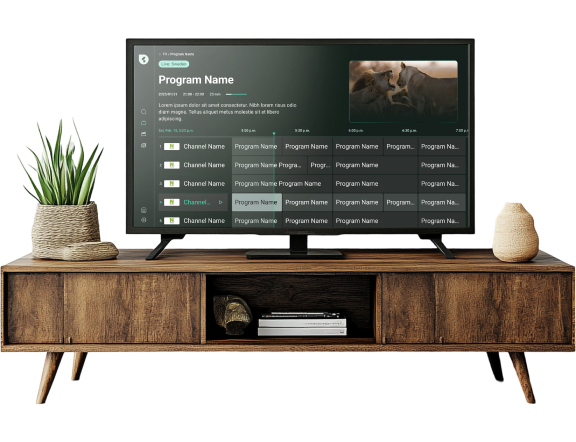
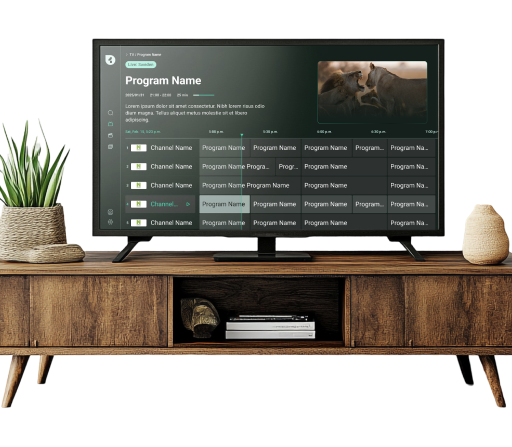
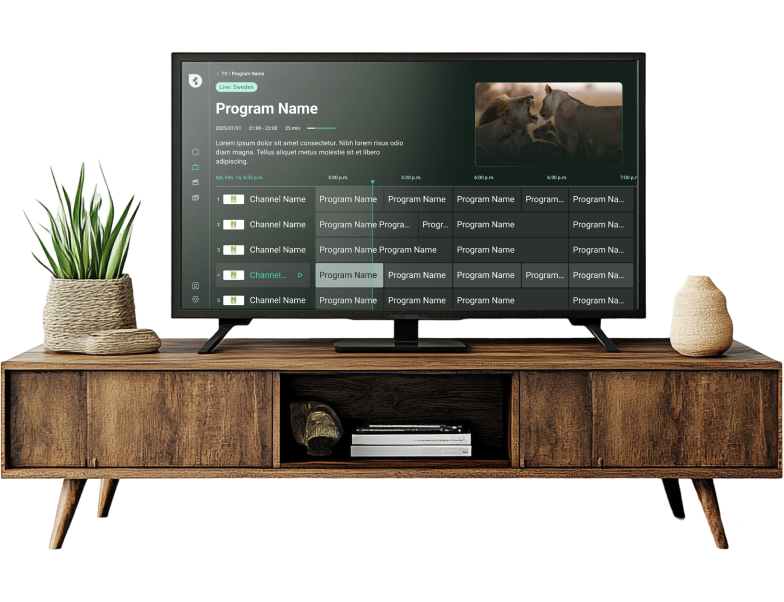
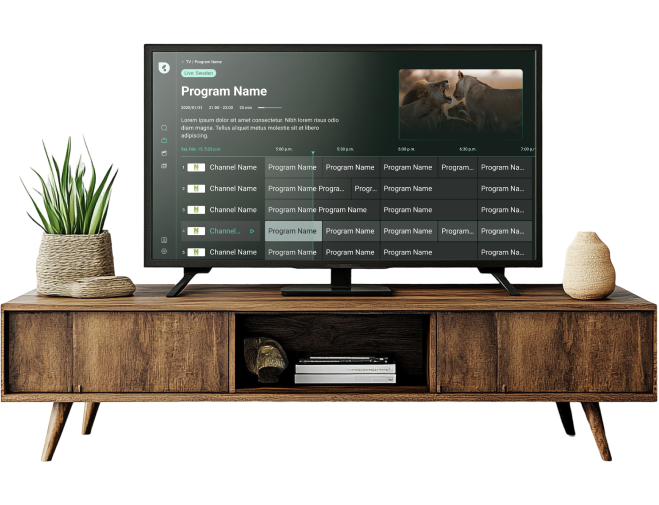
Browse live channels with an easy program guide—see what’s on now and what’s coming up across all channels.
Continue watching where you left off—your progress and favorites stay in sync across devices.
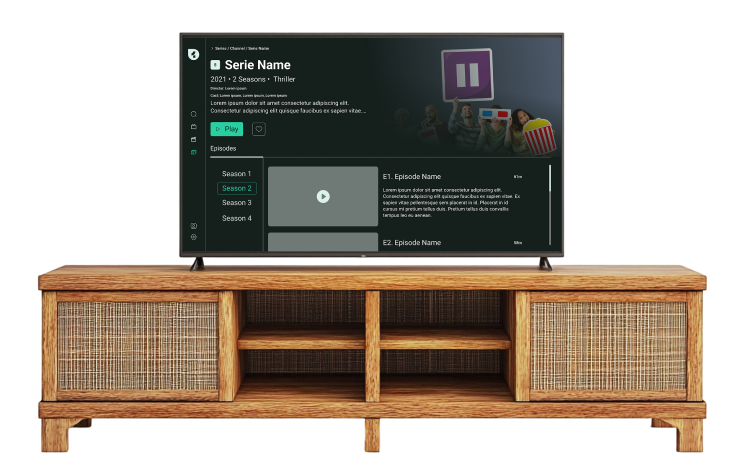
Watch your favorite series with simple season navigation, episode details, and automatic progress tracking.

Professional playback controls with captions, plus easy episode navigation, rewind, fast-forward, and resume.
An active IPTV subscription and playlist from a third-party provider are required.
One Drop IPTV is an IPTV player application and does not host, provide, or sell any TV channels or media content.
Experience a beautiful, intuitive interface that makes finding and watching content effortless.
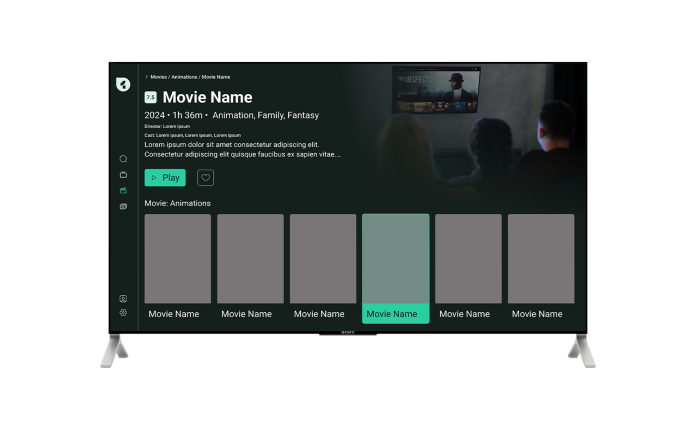
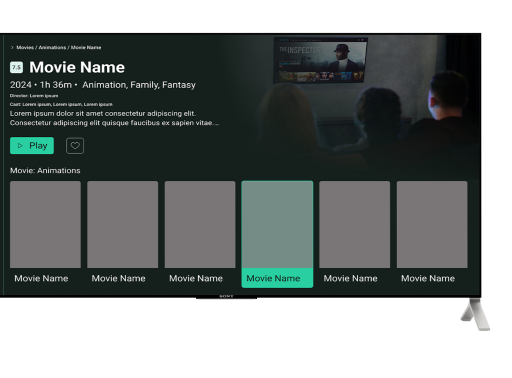
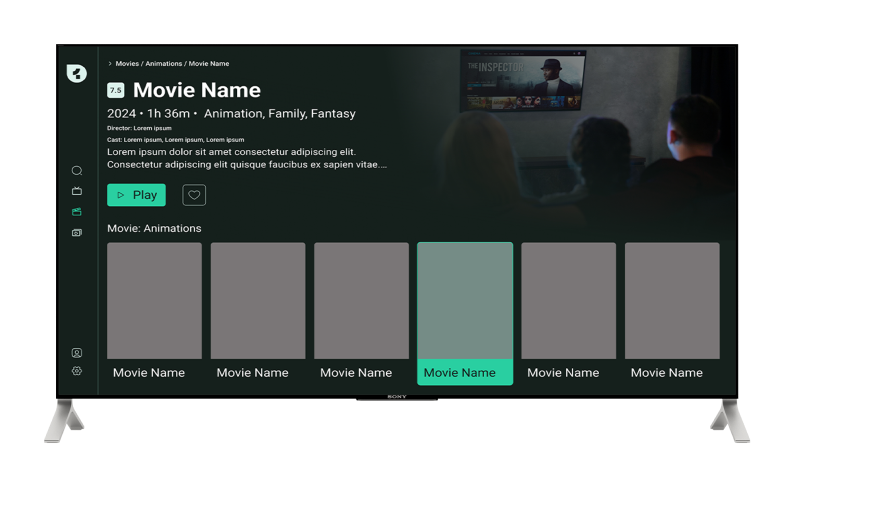
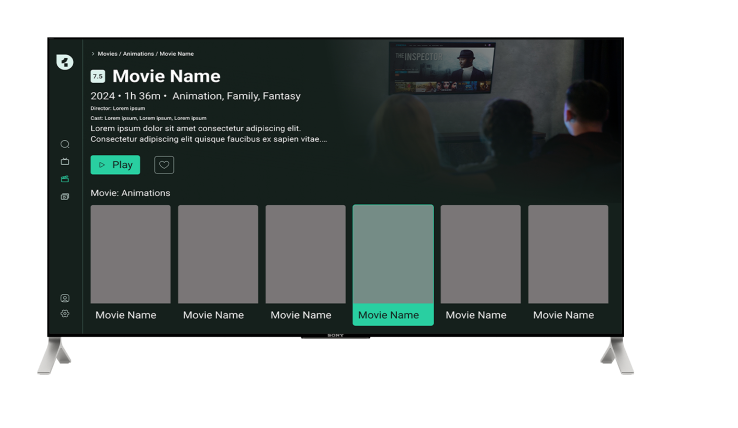
Discover movies with stunning artwork, detailed metadata, and organized categories. Get ratings, cast information, and full plot summaries before you watch.
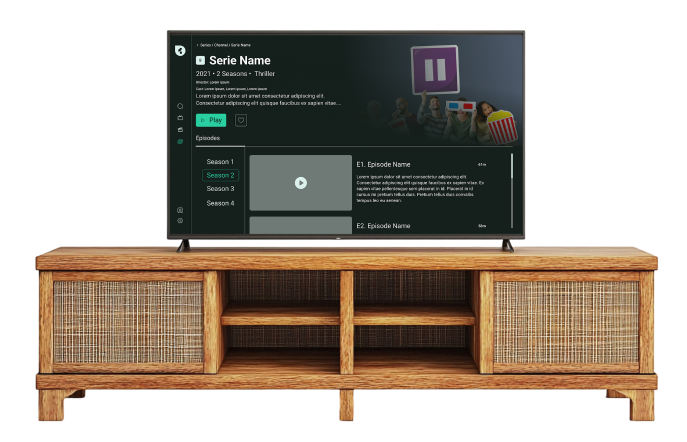
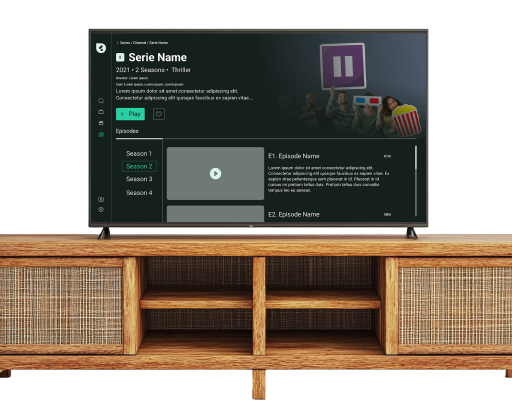
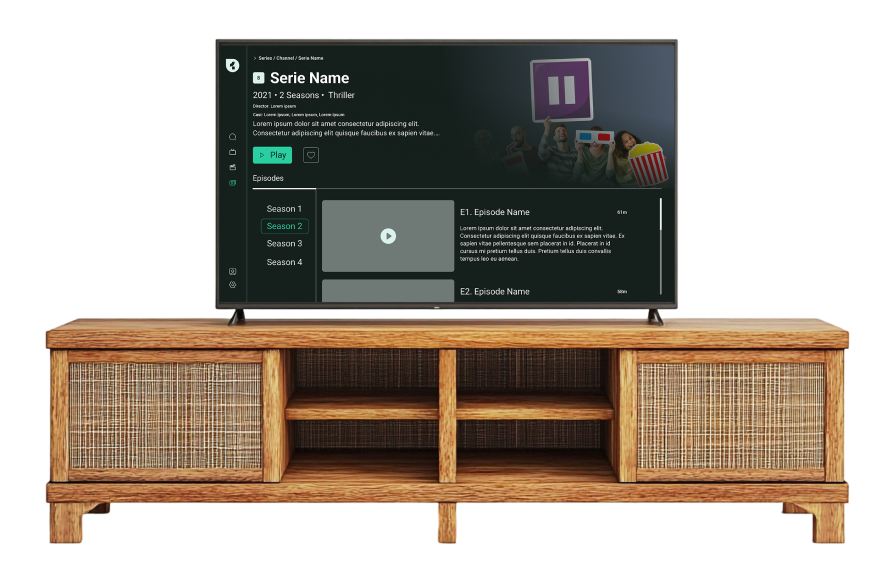
Watch series the way they were meant to be enjoyed. Browse by season, view episode thumbnails, and read descriptions. Your progress is tracked automatically.
Setting up OneDrop IPTV is incredibly simple. Follow these three steps and start watching.
Open OneDrop IPTV on your TV and scan the QR code with your phone or tablet.
Enter your M3U8 playlist URL from your IPTV provider. Optionally add an EPG URL for a complete program guide.
Browse live TV channels, explore movies and series, mark your favorites, and enjoy unlimited entertainment.
Transform your viewing experience with OneDrop IPTV. Enjoy live TV channels, movies, and series through a sleek, modern interface.
Coming Soon — Not Perfect Yet, But Ready to Try
Everything You Need for Perfect Viewing
OneDrop IPTV combines powerful features with an intuitive interface to deliver an unmatched entertainment experience.
Set up instantly. Scan the QR code, log in, and start watching. No hassle.

Browse live channels with an easy program guide—see what’s on now and what’s coming up across all channels.
Continue watching where you left off—your progress and favorites stay in sync across devices.c
Watch your favorite series with simple season navigation, episode details, and automatic progress tracking.

Professional playback controls with captions, plus easy episode navigation, rewind, fast-forward, and resume.
An active IPTV subscription and playlist from a third-party provider are required.
One Drop IPTV is an IPTV player application and does not host, provide, or sell any TV channels or media content.
Experience a beautiful, intuitive interface that makes finding and watching content effortless.

Discover movies with stunning artwork, detailed metadata, and organized categories. Get ratings, cast information, and full plot summaries before you watch.

Watch series the way they were meant to be enjoyed. Browse by season, view episode thumbnails, and read descriptions. Your progress is tracked automatically.
Setting up OneDrop IPTV is incredibly simple. Follow these three steps and start watching.
Open OneDrop IPTV on your TV and scan the QR code with your phone or tablet.
Enter your M3U8 playlist URL from your IPTV provider. Optionally add an EPG URL for a complete program guide.
Browse live TV channels, explore movies and series, mark your favorites, and enjoy unlimited entertainment.

Transform your viewing experience with OneDrop IPTV. Enjoy live TV channels, movies, and series through a sleek, modern interface.
Coming Soon — Not Perfect Yet, But Ready to Try
Everything You Need for Perfect Viewing
OneDrop IPTV combines powerful features with an intuitive interface to deliver an unmatched entertainment experience.
Set up instantly. Scan the QR code, log in, and start watching. No hassle.
Browse live channels with an easy program guide—see what’s on now and what’s coming up across all channels.
Continue watching where you left off—your progress and favorites stay in sync across devices.

Watch your favorite series with simple season navigation, episode details, and automatic progress tracking.

Professional playback controls with captions, plus easy episode navigation, rewind, fast-forward, and resume.
An active IPTV subscription and playlist from a third-party provider are required.
One Drop IPTV is an IPTV player application and does not host, provide, or sell any TV channels or media content.
Experience a beautiful, intuitive interface that makes finding and watching content effortless.
Discover movies with stunning artwork, detailed metadata, and organized categories. Get ratings, cast information, and full plot summaries before you watch.
Watch series the way they were meant to be enjoyed. Browse by season, view episode thumbnails, and read descriptions. Your progress is tracked automatically.
Setting up OneDrop IPTV is incredibly simple. Follow these three steps and start watching.
Open OneDrop IPTV on your TV and scan the QR code with your phone or tablet.
Enter your M3U8 playlist URL from your IPTV provider. Optionally add an EPG URL for a complete program guide.
Browse live TV channels, explore movies and series, mark your favorites, and enjoy unlimited entertainment.
Transform your viewing experience with OneDrop IPTV. Enjoy live TV channels, movies, and series through a sleek, modern interface.
Coming Soon — Not Perfect Yet, But Ready to Try
Everything You Need for Perfect Viewing
OneDrop IPTV combines powerful features with an intuitive interface to deliver an unmatched entertainment experience.
Set up instantly. Scan the QR code, log in, and start watching. No hassle.
Browse live channels with an easy program guide—see what’s on now and what’s coming up across all channels.
Continue watching where you left off—your progress and favorites stay in sync across devices.
Watch your favorite series with simple season navigation, episode details, and automatic progress tracking.

Professional playback controls with captions, plus easy episode navigation, rewind, fast-forward, and resume.
An active IPTV subscription and playlist from a third-party provider are required.
One Drop IPTV is an IPTV player application and does not host, provide, or sell any TV channels or media content.
Experience a beautiful, intuitive interface that makes finding and watching content effortless.

Discover movies with stunning artwork, detailed metadata, and organized categories. Get ratings, cast information, and full plot summaries before you watch.
Watch series the way they were meant to be enjoyed. Browse by season, view episode thumbnails, and read descriptions. Your progress is tracked automatically.

Setting up OneDrop IPTV is incredibly simple. Follow these three steps and start watching.
Open OneDrop IPTV on your TV and scan the QR code with your phone or tablet.
Enter your M3U8 playlist URL from your IPTV provider. Optionally add an EPG URL for a complete program guide.
Browse live TV channels, explore movies and series, mark your favorites, and enjoy unlimited entertainment.